
Top Stories
Urgent Update: 3 Signs Your Monitor Is Failing Your Gaming Experience

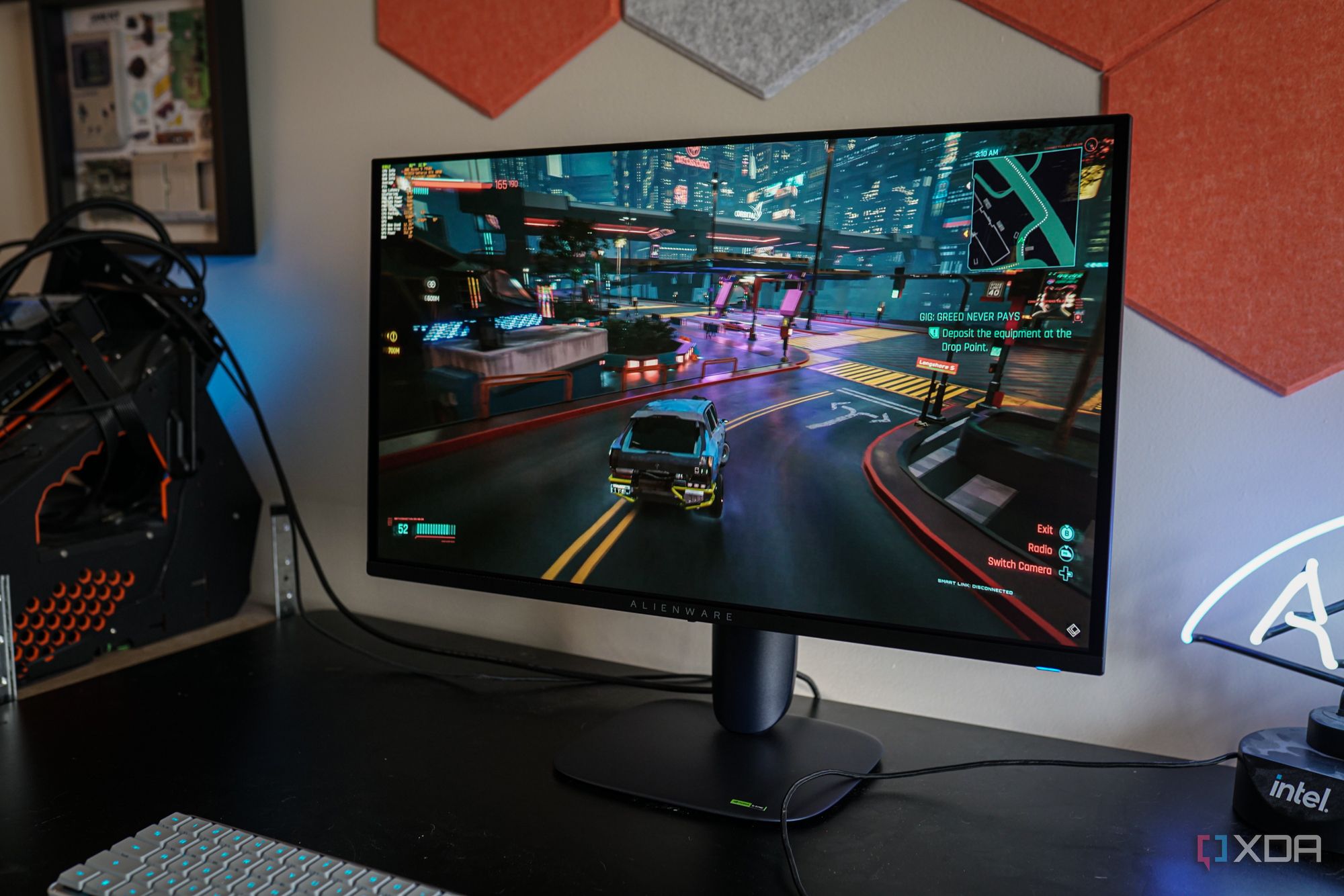
URGENT UPDATE: Are you struggling with gaming on your monitor? Recent findings reveal critical signs that your screen may not be optimized for gaming, impacting your performance drastically. If you’ve invested in a high-resolution display, it’s time to reassess its capabilities for your gaming needs.
Experts confirm that even the best 4K monitors can fall short when it comes to gaming. High resolution and vibrant colors can’t compensate for the panel’s performance during fast-paced gameplay. If you’re experiencing issues like motion blur, input lag, or screen tearing, it may be time to consider upgrading.
One major sign is if motion appears blurry at high frame rates. If you’re gaming at over 144FPS but notice blurriness while moving the camera or aiming, your monitor is likely struggling. This happens when pixels take too long to transition between frames, causing smearing and ghosting that disrupts your gaming experience. It’s crucial to verify the 1ms response times many monitors advertise, as those figures can be misleading and often measured under ideal conditions.
Another alarming indicator is noticeable input lag. If you detect a delay between your mouse click and the action on-screen, that could be a big issue. Even with low system latency and high frames per second, a sluggish monitor can hinder your ability to react swiftly in competitive scenarios. The difference is particularly stark in fast-paced shooters, where missed shots and delayed reactions can lead to losing matches. On a properly functioning gaming monitor, your inputs should feel instantaneous.
Lastly, screen tearing is a common issue when your GPU and monitor fail to sync correctly. As your graphics card renders new frames, if the monitor can’t refresh in time, you’ll see a horizontal tear across your screen. Most modern gaming monitors come equipped with adaptive sync technology like G-Sync or FreeSync to counter this problem, allowing for a smoother experience. Without this feature, you’re left with options like V-Sync, which can introduce additional lag and stutter—definitely not ideal during intense gaming sessions.
As gamers increasingly prioritize performance over aesthetics, it’s essential to ensure your monitor can handle the demands of high-speed action. While stunning visuals are appealing, the reality is that motion clarity, input responsiveness, and seamless frame transitions matter much more once the gaming begins.
If you’re experiencing any of these issues, it’s time to evaluate whether your current monitor can support your gaming style. Don’t let your investment in games go to waste—stay informed and make the right choice for your gaming setup today. Share this urgent news with fellow gamers to help them enhance their gaming experiences!

Millville Woman Arrested After Threatening U-Haul Worker with Baton

Japan’s PM Takaichi Confirms Ongoing Fiscal Management Strategy

Bitcoin Plummets Below $88K Amid Tether Concerns, Urgent Warning

Tottenville Falls Short in PSAL 4A Title Bid Against Erasmus Hall

Urgent Study Reveals Shark Teeth Insights to Combat Extinction

Church Members Rally Together After Thanksgiving Day Fire

Trump Promises to Release MRI Results from October Scan

U.S. Investors Boost Canadian Oil Firms Despite Falling Prices

Nick Jonas Unveils Solo Album Title and Release Date at Las Vegas Brunch

University of Hawaiʻi at Mānoa Joins $25.6M AI Initiative for Disaster Monitoring

IROS 2025 to Showcase Cutting-Edge Robotics Innovations in China

ALMA Discovers Companion Orbiting Red Giant Star π 1 Gruis

Stone Island’s Logo Worn by Extremists Sparks Brand Dilemma

Startup Liberate Bio Secures $31 Million for Next-Gen Therapies

Bravo Company Veterans Honored with Bronze Medals After 56 Years

Mary Morgan Jackson Crowned Little Miss National Peanut Festival 2025

Judge Considers Dismissal of Chelsea Housing Case Citing AI Flaws

Top Hyaluronic Acid Serums for Radiant Skin in 2025
-
Science4 weeks ago
University of Hawaiʻi at Mānoa Joins $25.6M AI Initiative for Disaster Monitoring
-
 Science2 months ago
IROS 2025 to Showcase Cutting-Edge Robotics Innovations in China
-
 Science2 weeks ago
ALMA Discovers Companion Orbiting Red Giant Star π 1 Gruis
-
 Lifestyle2 months ago
Stone Island’s Logo Worn by Extremists Sparks Brand Dilemma
-
 Health2 months ago
Startup Liberate Bio Secures $31 Million for Next-Gen Therapies
-
 World2 months ago
Bravo Company Veterans Honored with Bronze Medals After 56 Years
-
 Lifestyle2 months ago
Mary Morgan Jackson Crowned Little Miss National Peanut Festival 2025
-
 Politics2 months ago
Judge Considers Dismissal of Chelsea Housing Case Citing AI Flaws
-
 Health2 months ago
Top Hyaluronic Acid Serums for Radiant Skin in 2025
-

 Sports2 months ago
Yamamoto’s Mastery Leads Dodgers to 5-1 Victory in NLCS Game 2
-

 Science2 months ago
Arizona State University Transforms Programming Education Approach
-

 Sports2 months ago
Mel Kiper Jr. Reveals Top 25 Prospects for 2026 NFL Draft